Best WhatsApp API for Shopify Apps (2026 Guide)
Quick Answer: Which WhatsApp API for Shopify App Is Best?
Different stores need different tools.
- Some platforms, such as Wetarseel, are designed specifically for regions like the Subcontinent and UAE, where COD workflows and multilingual support are common.
- For very basic needs, the WhatsApp Business app (manual use) may be sufficient.
- If you want automation + abandoned cart recovery, you need a WhatsApp API platform like Interakt, DelightChat, BotSpace, etc.
Now let’s break everything down properly.
If you run a Shopify store, choosing the right WhatsApp API for Shopify app can directly improve your sales and customer support.
Your customers already use WhatsApp for everything:
- Asking product questions
- Sharing screenshots
- Confirming COD orders
- Checking delivery updates
- Requesting returns
That’s why choosing the right WhatsApp API for Shopify app is a big decision.
With the right app, you can:
- Send automatic order updates (COD confirmation, shipped, delivered)
- Recover abandoned carts
- Answer customer questions faster
- Run WhatsApp campaigns (with Meta rules)
What Is WhatsApp API for Shopify?
Table of Contents
Many Shopify merchants confuse WhatsApp tools.
WhatsApp Business App (Free)
This is the normal WhatsApp Business app on your phone.
It is good for:
- small sellers
- manual chatting
But it is not good for:
- abandoned cart recovery
- automation
- shared team inbox
- proper Shopify order syncing
WhatsApp Business API (Paid)
This is what Shopify WhatsApp API apps use.
WhatsApp API allows you to:
- send automatic order updates
- recover abandoned carts
- confirm COD orders
- run approved WhatsApp campaigns
- manage chats with a team
- integrate WhatsApp with Shopify and CRM
How WhatsApp API Pricing Works
When you use WhatsApp API, there are usually two types of costs:
1) Meta WhatsApp Fees (Conversation Charges)
Meta charges businesses based on conversation types like:
- Utility (order updates, shipping, delivery)
- Marketing (offers, campaigns, abandoned cart reminders)
- Authentication (OTP)
- Service (customer support chat)
Meta’s pricing depends on your customer’s country and message category.
2) App/Provider Fees (Monthly Subscription)
The Shopify app you install will usually charge:
- Monthly plan fee
- Sometimes per agent (support seat)
- Sometimes per contact
- Sometimes extra for automation features
So your real cost is:
Meta fees + App fees
Example of WhatsApp API Cost
Let’s say you have a Shopify store and you send:
- 3,000 order updates (Utility)
- 1,000 abandoned cart messages (Marketing)
- 500 customer support chats (Service)
Your total cost depends on:
- Meta conversation pricing for your region
- Your app’s monthly plan
This is why you should never choose an app only based on “$15/month” marketing.
What to Look For in the Best WhatsApp API for Shopify App?
This section is what will make your WetarSeel article better than the top results.
Most people don’t want a list. They want a checklist.
1) Official Meta WhatsApp API (Very Important)
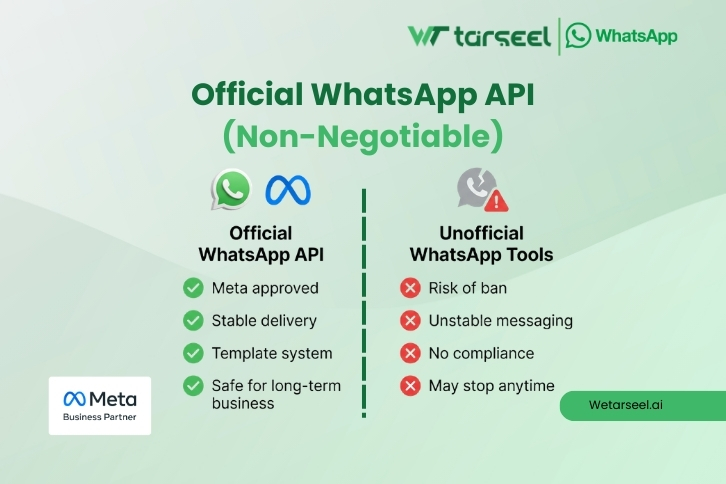
Some tools claim “WhatsApp integration” but use unofficial methods.
That can cause:
- Number bans
- Message delivery issues
- Risk of losing your WhatsApp business account
A good Shopify WhatsApp app should clearly mention:
- Official WhatsApp Business API
- Meta BSP (Business Solution Provider) or direct API
2) Shopify Automation Features That Matter
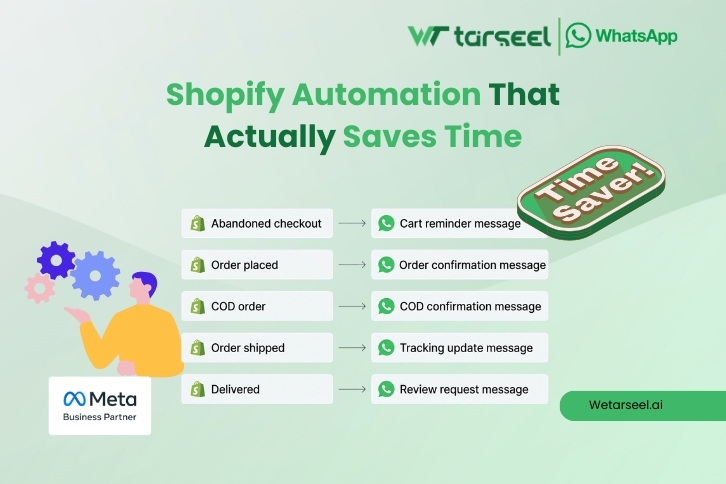
The best apps support these automations:
- Abandoned cart recovery
- Abandoned checkout reminders
- COD confirmation
- Order placed message
- Order shipped + tracking
- Delivered message
- Review request after delivery
- Return/exchange support messages
If an app only offers “WhatsApp chat widget”, it is not enough for most Shopify stores.
3) WhatsApp Template Message Support
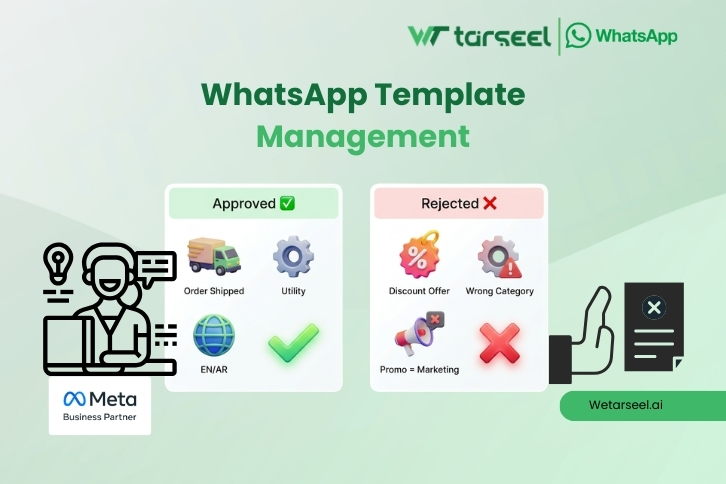
Meta requires pre-approved templates for:
- Marketing messages
- Order updates (often also templates)
A good app should:
- Help you create templates
- Submit templates easily
- Provide ready-made templates for Shopify flows
4) Shared Team Inbox (For Support)
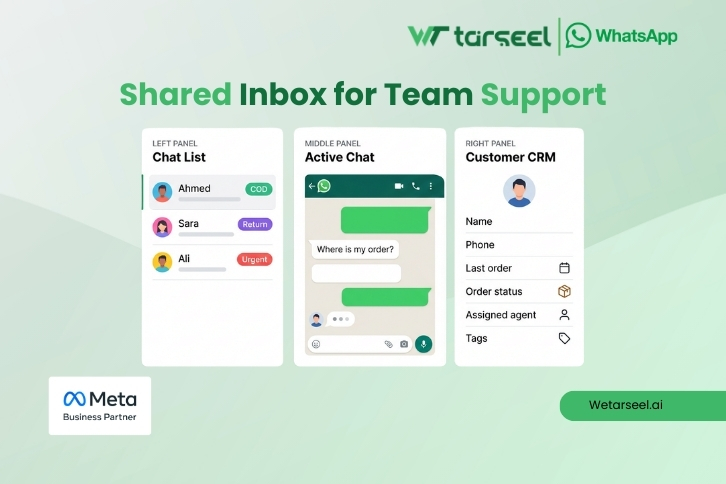
If your store gets even 10–20 WhatsApp chats daily, you need:
- Multiple agents
- Assign chats to team members
- Internal notes
- Tags like “COD”, “Refund”, “Urgent”
- Quick replies
Without this, WhatsApp becomes messy and slow.
5) Abandoned Cart Recovery That Actually Works
Many apps claim “cart recovery”, but some only send a generic message.
A strong cart recovery feature should include:
- Customer name
- Product name
- Checkout link
- Discount code (optional)
- Timing rules (example: 30 minutes, 6 hours, 24 hours)
- Stop sending if customer purchases
This is one of the biggest revenue features of WhatsApp for Shopify.
6) Pricing Transparency (No Hidden Charges)
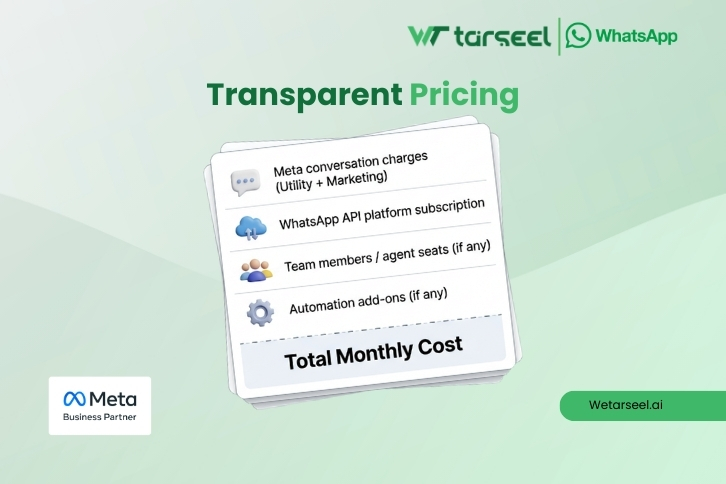
Before choosing any WhatsApp API app, check:
- Is Meta pricing included or separate?
- Is there a per-agent fee?
- Is there a per-contact fee?
- Do they charge extra for automation flows?
A good provider will explain this clearly.
7) Shopify App Store Reviews (Read the Negative Ones)
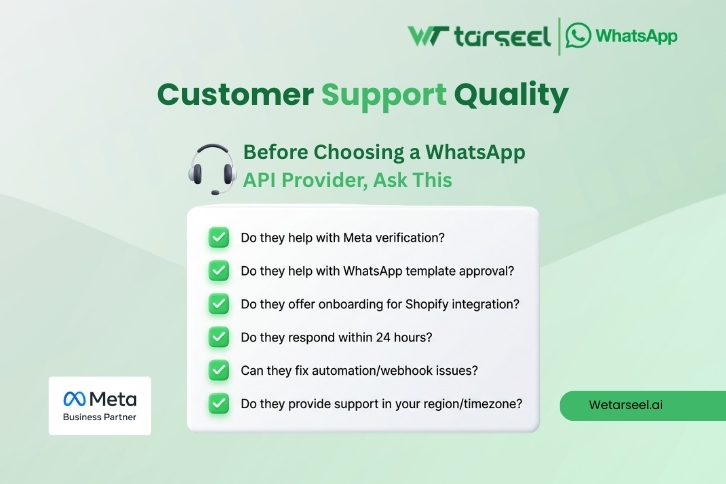
A smart way to judge apps:
- Read 5-star reviews (for strengths)
- Read 1-star reviews (for real problems)
Most common issues users report:
- Support delays
- Bugs in automation
- Confusing pricing
- WhatsApp template rejections
- Setup complexity
Best WhatsApp API for Shopify Apps
1) Meta Official WhatsApp App (Basic Option)
Best for: Simple order notifications
Pros:
- official Meta solution
- simple setup
Cons: - limited automation
- not ideal for abandoned cart recovery
- not built for multi-agent support
2) Wetarseel
WetarSeel is not the only option, but it is built around the exact problems Shopify merchants face, especially in the subcontinent and the UAE region.
Best for:
- Shopify stores selling in Pakistan, India, Bangladesh, UAE
- COD businesses
- stores needing English + Urdu + Arabic messaging
- teams that need both automation + support
Why does it fit many stores here:
- COD confirmation workflows
- Shopify-native automations
- support inbox for teams
- practical onboarding for local merchant needs
- clear, transparent setup approach
3) Interakt
Best for: Shopify stores focused on WhatsApp marketing
Pros:
- good automation
- campaigns and broadcasts
- cart recovery flows
Cons: - can become expensive as you scale
- not always the simplest for beginners
4) DelightChat
Best for: stores that want WhatsApp + Instagram + email in one place
Pros:
- shared inbox
- strong support workflows
Cons: - higher cost for small stores
5) BotSpace
Best for: small and medium stores needing automation
Pros:
- usually affordable entry plans
- supports shared inbox + automation
Cons: - Advanced features may require higher plans
Lastly, the best choice depends on your store's stage.
WhatsApp API for Shopify Use Cases
Here are WhatsApp automations that Shopify merchants use successfully:
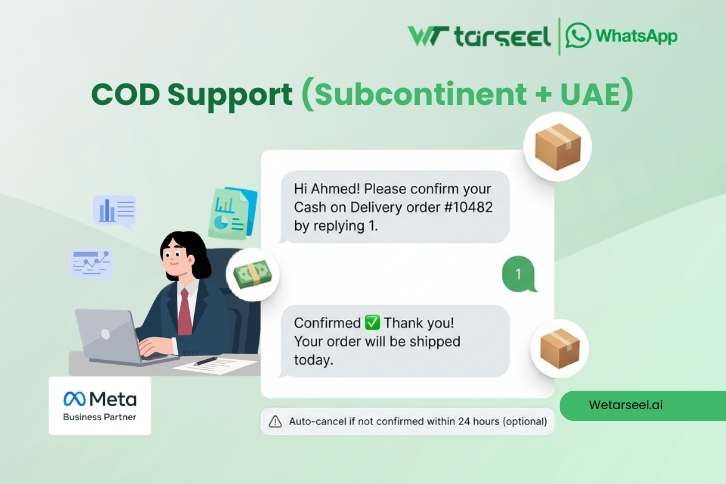
1) COD Confirmation (Reduce Fake Orders)
Many COD stores lose money due to:
- fake phone numbers
- customers not answering calls
- delivery failures
A WhatsApp message like:
“Hi Ahmed! Please confirm your order by replying YES.”
can reduce failed deliveries.
2) Abandoned Cart Recovery
A good WhatsApp cart reminder includes:
- product name
- checkout link
- support option
This works especially well for mobile-first customers.
3) Shipping + Delivery Updates
Automated updates reduce:
- “Where is my order?” messages
- customer anxiety
- support load
Common Mistakes Shopify Merchants Make
Mistake 1: Choosing Based Only on Monthly Price
WhatsApp API includes Meta fees.
A cheaper plan may become expensive if it lacks automation and you need add-ons.
Mistake 2: Using Unofficial WhatsApp Tools
This can lead to bans and delivery issues.
Mistake 3: Treating WhatsApp Like SMS
WhatsApp is permission-based.
If you spam:
- customers block you
- quality rating drops
- Meta restricts your number
Final Advice
The best WhatsApp API for Shopify app is not the one with the longest feature list.
It is the one that matches:
- your region
- your payment model (COD vs prepaid)
- your team size
- your support load
- your automation needs
- your budget (including Meta fees)
If you want the simplest safe approach:
- Start with a platform that is transparent
- Uses official WhatsApp API
- Helps with templates and setup
- Supports Shopify automations properly
That’s usually where most Shopify stores end up.
Running a Shopify store? Wetarseel connects to Shopify for order updates and abandoned-cart reminders on the official WhatsApp Business API, and our team helps you set it up. See plans and pricing, or read how to confirm cash on delivery orders on WhatsApp.
Start your free trialTalk to a person
FAQs
- Is WhatsApp API free for Shopify? No. WhatsApp API has Meta fees and most platforms charge a subscription.
- Can I use my existing WhatsApp number? Often yes, but it may require migration to WhatsApp API.
- Can I send unlimited WhatsApp broadcasts? No. WhatsApp marketing has rules and template approval requirements.
- What is the safest WhatsApp integration? Official WhatsApp API platforms and Meta-approved solutions.


Discussion
No comments yet